Print the answer cards
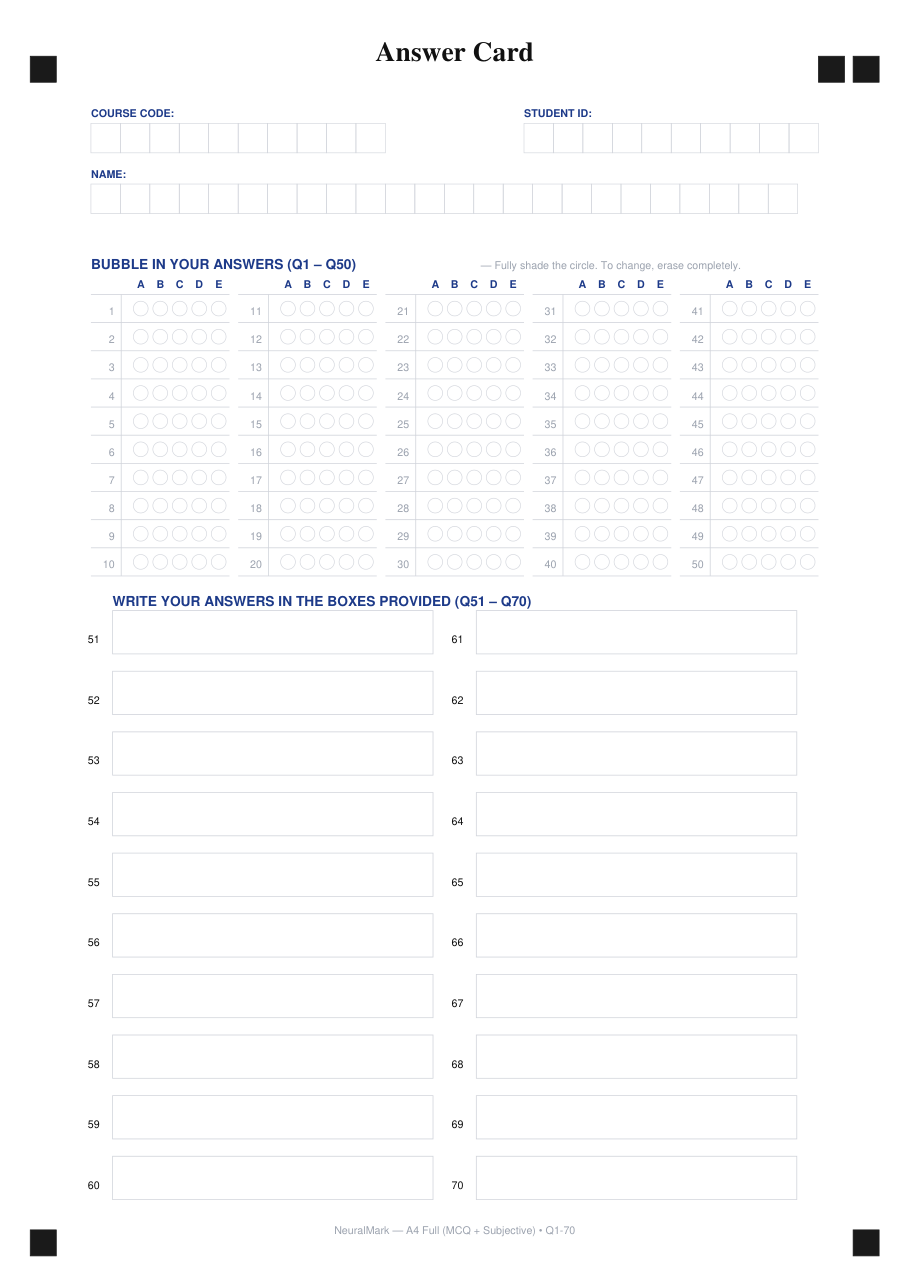
Generate PDF cards in one of three layouts (A4 combined, A5 MCQ-only, A4 subjective-only). Print at 100% scale on a standard office printer.
NeuralMark
Private, offline exam grading that runs on hardware your school already owns — no student data ever leaves the building.
WhatsApp coming soon — email us instead.
Fully offline after installation. Privacy-first by design. Subscription plans from RM300/month.
The marking problem
Every exam season, the same thing happens: a stack of 200 answer sheets lands on a teacher's desk, and the next few evenings disappear into bubble-checking, short-answer reading, and tallying totals. Manual marking is slow, tiring, and — even with the most careful hand — inconsistent between students and between markers.
For institutions that handle large cohorts — secondary schools, training providers, university faculties — that cost is real time and real money, paid by people who would rather be teaching.
Cloud-based AI grading tools promise a fix, but they ask schools to send student work and personal data to someone else's servers. For many institutions, that is a non-starter.
How it works
Generate PDF cards in one of three layouts (A4 combined, A5 MCQ-only, A4 subjective-only). Print at 100% scale on a standard office printer.
Hand them to an ADF scanner. The system accepts multi-page PDFs or JPG/PNG images. No special hardware needed.
For each page, the system aligns it, reads the student profile, marks the 50 MCQ bubbles in ~0.1 s, and transcribes short answers with a local vision-language model. End-to-end: about 5 seconds per page.
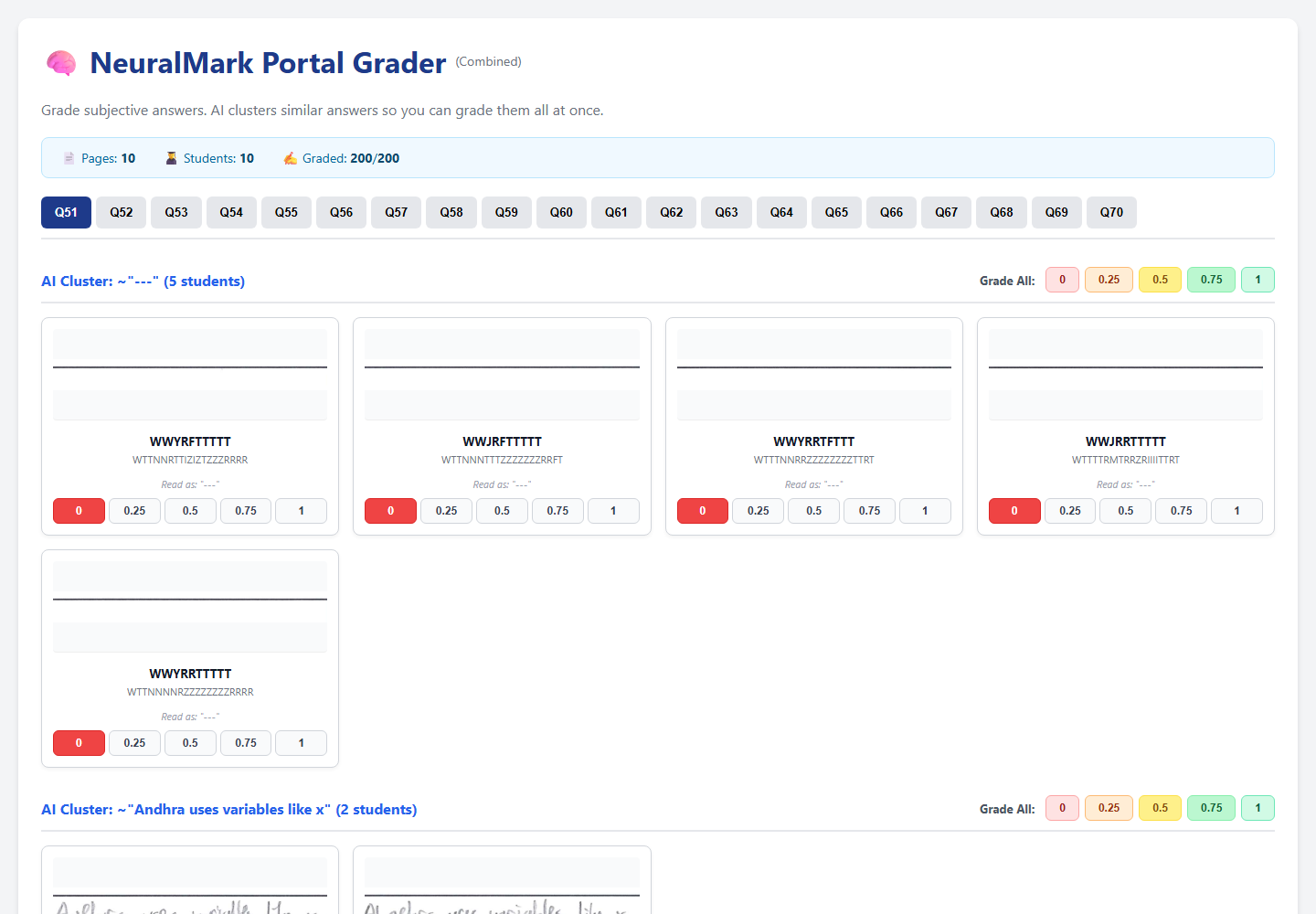
Open the offline Interactive Grader in any browser — cluster similar answers, override individual scores, then export a styled Excel gradebook with one click.
Built for real classrooms
Your school owns the hardware, the data, and the schedule. The system works inside your network — or with no network at all.
After the one-time model setup, grading requires zero internet. No cloud subscriptions, no API costs, no per-student fees.
ADF scanner workflow + batch processing: ~200 sheets in roughly 12–17 minutes on a recommended workstation.
A4 combined (MCQ + short answers), A5 MCQ-only, A4 subjective-only — all generated as PDFs from the same engine that grades them.
Even with imperfect handwriting, the system matches scanned student IDs and names against your roster. Manual overrides are always available.
No telemetry, no third-party APIs, no uploads. Student answer sheets, names, and scores stay on the machine that did the grading.
Answer cards
The system ships with PDF generators for all three answer-card templates. Print them at 100% scale on standard A4 or A5 paper.
50 MCQ questions plus 20 short-answer boxes on a single A4 page. The all-rounder for most secondary and tertiary exams.
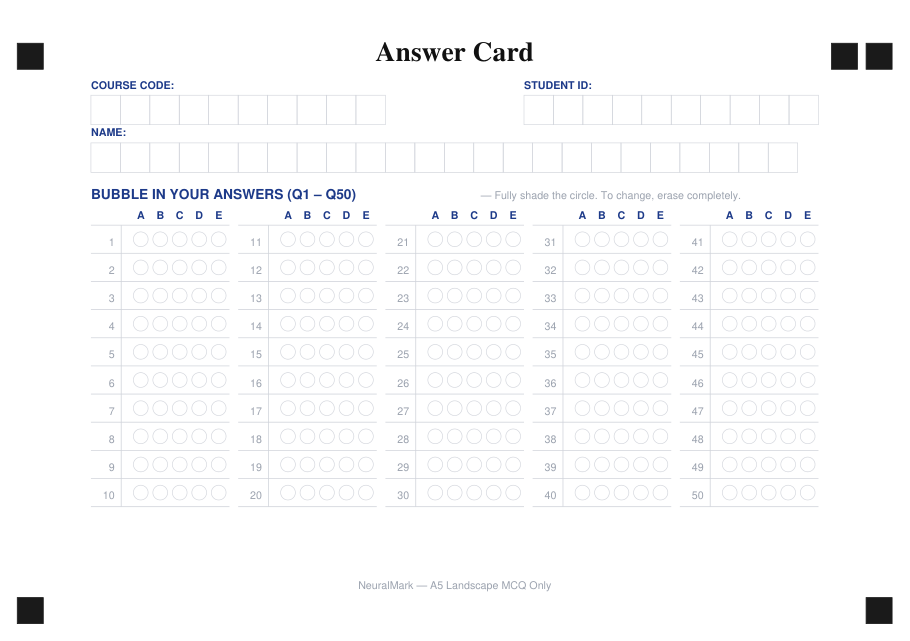
A half-page card for fast, high-volume MCQ tests. Smaller paper, same scanning reliability.
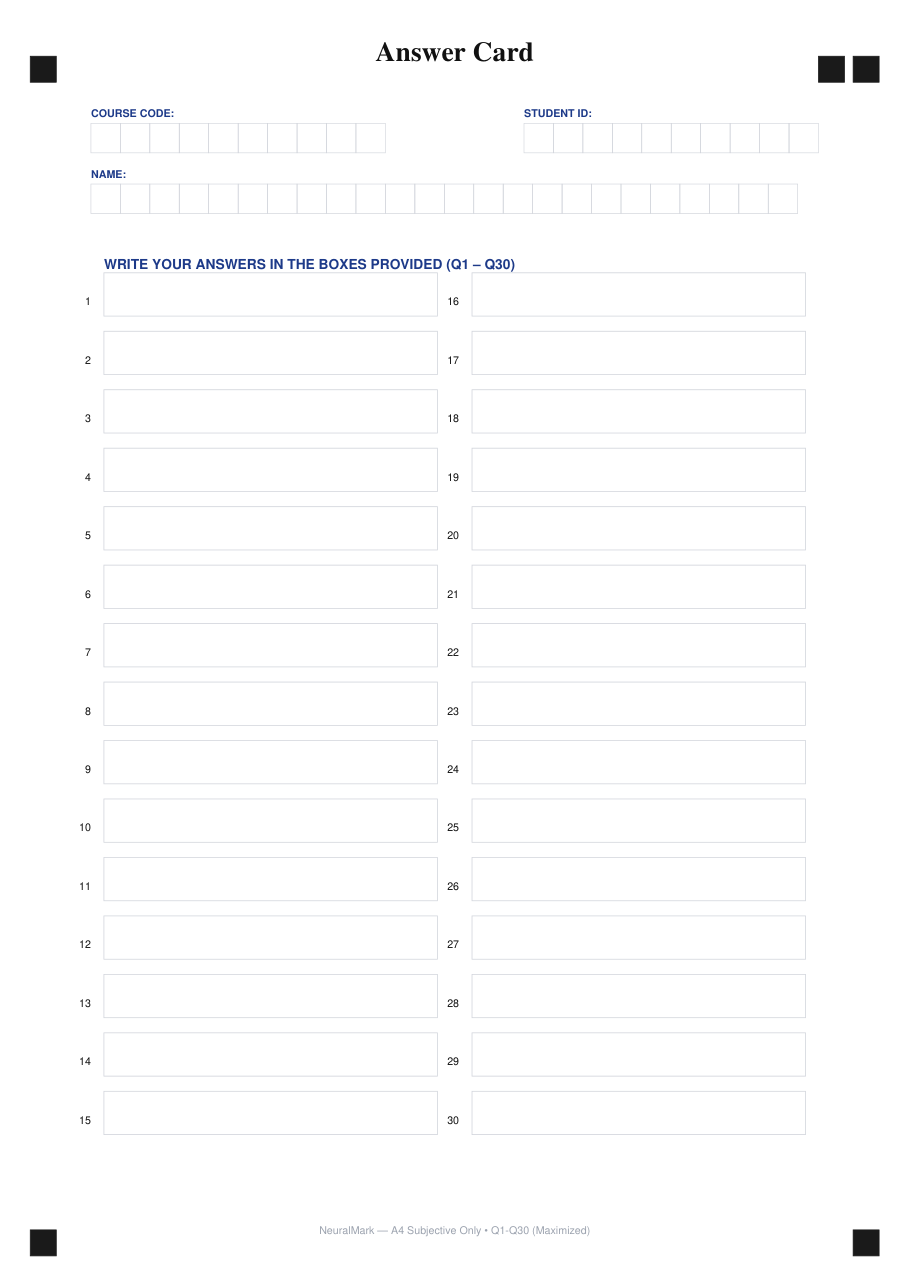
For open-response exams and assignments. Thirty numbered short-answer boxes on a single A4 page.
Outputs
Every batch produces a single self-contained HTML file. Open it in any modern browser — no internet needed. The grader groups similar short-answer responses, lets you score whole groups at once, and lets you override individual marks per student per question.
From the grader, export a styled Excel gradebook in your browser. Columns include course, student ID, student name, per-question scores, MCQ total, subjective total, and grand total. No data leaves the browser.
For each scanned page the system keeps: detected student profile (course/ID/name), MCQ answers as A/B/C/D/E/BLANK/MULTI, and the transcribed short-answer text. Override history stays with the file.
Hardware
A standard desktop PC with a CUDA-capable GPU and an A4 ADF scanner is the only hardware the school needs to provide.
| Setup | What you need |
|---|---|
| Recommended — production kiosk | A modest Windows or Linux PC with an NVIDIA RTX-class GPU (12 GB VRAM), 16 GB RAM, and an ADF scanner. This setup runs the full grading pipeline at the rated speed. |
| Minimum — development / small batches | A modern 6-core CPU, 16 GB RAM, and a 12 GB GPU. Older NVIDIA cards are supported — the system adjusts automatically. |
Privacy & compliance
NeuralMark runs as software on a machine your institution owns. Answer sheets are scanned, marked, and stored locally. No data is sent to NeuralMark or to any third party for processing.
The grading pipeline is self-contained. The local vision-language model for short-answer transcription runs on your GPU — inference never leaves your network.
Because no personal data leaves the institution, the surface area for personal-data handling is small. You decide who can access the workstation, who keeps the scans, and when they are deleted.
We can provide a technical documentation pack covering architecture, data flow, and security posture, for institutions that need it for internal review or regulatory submission.
FAQ
Yes — after the one-time model setup at installation, grading runs fully offline. The Interactive Grader is also a self-contained HTML file that opens in any browser with no network access.
A modern PC with an NVIDIA GPU of around 12 GB VRAM, 16 GB RAM, and an A4 ADF scanner. Older NVIDIA cards are supported. We are happy to confirm compatibility for your specific machine.
The system grades its own three card layouts (A4 combined, A5 MCQ-only, A4 subjective-only). If your institution prints those cards, the system will grade them. For older or locally-modified prints, the system has a calibration pass that adapts to slight geometry differences.
Short answers are transcribed by a local vision-language model. Handwriting varies — the grading UI is built for human review, with similarity-based grouping and per-student overrides. You always have the final say.
All grading happens on a machine your institution owns. No data is sent to NeuralMark or to any third party. You decide how long scans and gradebooks are retained.
We assist with installation, hardware compatibility checks, and onboarding for your first batch. Reach us on WhatsApp or by email.
Start a conversation
Send us a short message on WhatsApp, or download the brochure and share it with your team. We respond the same business day.
WhatsApp coming soon — email us instead.